
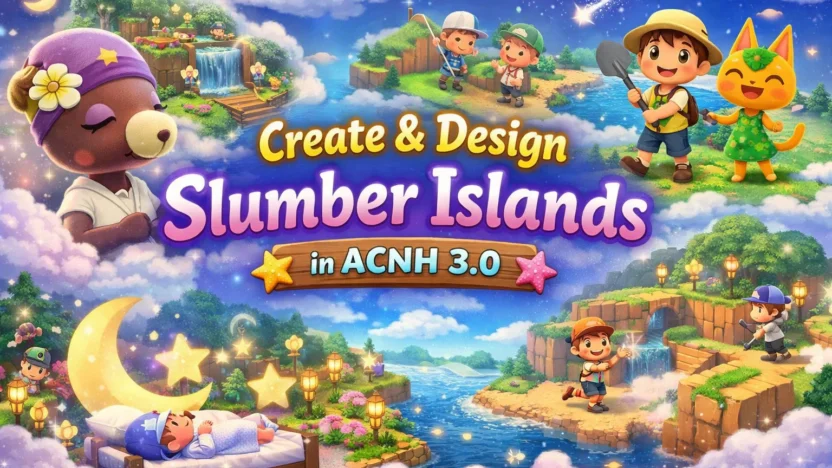
The 3.0 update for Animal Crossing: New Horizons, released on January 15, 2026, added one of the most powerful creative tools the game has ever seen: Slumber Islands.
At first glance, they might feel similar to the older Dream feature, but Slumber Islands go far beyond simply visiting someone else’s island. These are fully customizable dream-world islands where you can terraform, decorate, control time and weather, and even build together with friends in real time. Best of all, everything happens without touching your main island.
If you’ve ever wanted a true creative mode in New Horizons, this is it.
What Are Slumber Islands?
Slumber Islands are alternate dream-world islands that exist completely separately from your main island save. They’re designed as blank canvases where imagination comes first and restrictions fade into the background.
Unlike your real island, Slumber Islands:
- Do not replace or modify your main island
- Can be created, redesigned, or deleted freely
- Exist purely for experimentation, creativity, and collaboration
They’re ideal for testing big ideas, planning layouts, or building elaborate themes you’re not ready to commit to in your main world.
How Slumber Islands differ from your main island
Slumber Islands deliberately strip things down so creativity can take over:
- There’s no airport, plaza, shops, or permanent NPC buildings
- Only your house exists by default
- The island spawns with trees, but no weeds, flowers, or rocks unless you place them
- You get an entry pier instead of a full airport
- You can terraform instantly, without progression gates
- Villagers you already own can be invited to visit
In short, Slumber Islands remove daily routines and turn the game into a creative sandbox.
How to Access a Slumber Island
Getting to a Slumber Island is simple and very much in the spirit of Animal Crossing.
- Update your game to version 3.0.0 or later
- Place a bed anywhere in your house
- Lie down and select “It’s slumber time”
- Connect to the internet if you want multiplayer features
Once you fall asleep, you’re transported into a dream space guided by Luna, who introduces the concept behind Slumber Islands: a world where imagination isn’t limited by inventory, time, or permanence.
Creating Your First Slumber Island
When you enter the system for the first time, you’ll answer a few setup questions. The most important thing to know here is this:
Nothing you choose is permanent.
You can always delete a Slumber Island and remake it later.
Choosing an Island Size
You can select from three sizes:
- Small – compact and focused, great for single-theme builds
- Medium – balanced space for neighborhoods or mixed ideas
- Large – ideal for ambitious, full-scale island concepts
Each size feels distinct, not just scaled-up versions of the same map.
Selecting a Layout
Within each size, you’ll choose from several terrain templates, some with rivers, some with cliffs, some more open. These layouts simply give you a starting point.
Since full terraforming is available right away, the layout is more of a suggestion than a limitation.
Creative Tools on Slumber Islands
Once you wake up on your Slumber Island, the game essentially hands you the keys to the kingdom.
FFull Terraforming Freedom
You can reshape the island immediately:
- Add or remove cliffs
- Create, delete, or reroute rivers
- Place bridges and inclines without delays
- Redesign the land as often as you like
There’s no waiting, no construction timers, and no long-term consequences, just experimentation.
Unlimited Decorating
Every item you’ve ever unlocked or crafted on your main island is automatically available.
That means you can:
- Place furniture and outdoor décor anywhere
- Freely move and rearrange items
- Decorate your Slumber Island house from scratch
- Build themed areas like plazas, forests, fantasy zones, or cities
You don’t need materials, bells, or crafting benches. If you’ve owned it once, you can use it here.
Control Time & Weather
Slumber Islands allow you to adjust time of day and weather, which is a huge deal for designers.
You can preview how your island looks:
- At sunrise or under moonlight
- In rain, snow, or clear skies
- During different lighting conditions for screenshots
This alone makes Slumber Islands invaluable for planners and content creators.
Invite Villagers
You can bring villagers you already own into your Slumber Island. This lets you:
- Stage neighborhoods
- Test villager placement
- Create story-like scenes or themed villages
It adds life to your designs without forcing permanent decisions.
Multiplayer: Build Together in Real Time
This is where Slumber Islands truly stand apart.
On a normal island, visitors can’t terraform or decorate. On a Slumber Island, everyone can build together.
- Invite friends online to your Slumber Island
- All players can place items and terraform simultaneously
- Perfect for collaborative builds, design challenges, or shared projects
On Nintendo Switch 2 Edition, up to 12 players can join at once, making Slumber Islands a hub for group creativity. (Nintendo Switch Online is required for online multiplayer.)
How Many Slumber Islands Can You Have?
Each player can create up to three personal Slumber Islands.
That means you can:
- Experiment with multiple themes at once
- Keep one island minimalist, one decorative, and one experimental
- Delete and remake islands whenever inspiration changes
They exist independently, so you’re never locked into a single idea.
Leaving a Slumber Island
When you’re done:
- Return to the bed on the Slumber Island
- Choose to wake up
Your progress saves automatically, and you’re returned to your main island exactly as you left it.
No changes carry over unless you decide to recreate them later.
Quick Summary
- 🛏️ Access: Sleep in any bed → “It’s slumber time”
- 🌍 Sizes: Small, Medium, Large
- 🧰 Tools: Full terraforming, unlimited décor, time & weather control
- 👯 Multiplayer: Real-time collaborative building
- 🗃️ Limit: Up to 3 Slumber Islands per player
- 🏡 Safety: Your main island is never affected